Redaction tool for PDFs
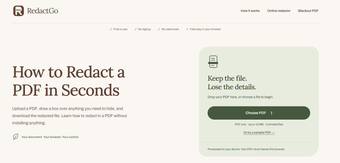
RedactGo is a free AI productivity web application for performing redactions on PDF files. Through it, users can easily remove sensitive information or lines of text from their documents by manually selecting them using a simple and intuitive UI. No sign-ups are needed to use it, and processing is done locally and on-device.
Amend and black out
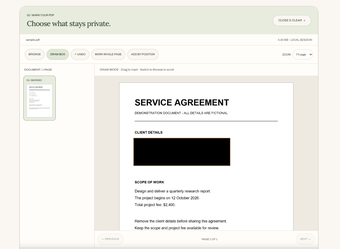
To start with RedactGo, upload your PDF file and open it using the built-in web viewer. Once open, click on the Draw Box button to create black boxes to cover the sensitive text and details in your document as you see fit. There’s an undo function if you want to redo anything, and you can even opt to black out an entire page using the Mark Whole Page button.
This tool also removes metadata and attachments, for good measure. Scroll down and review the Regions Marked section to see if you missed anything or want to revert a redaction. Once done, click on Apply Redaction and wait for it to process your request and produce an edited PDF file you can download. On a side note, just be aware of the 10MB file size.
Maintain confidentiality
In conclusion, if you have PDFs you need to share with others and don’t want them to see certain details and information, for some reason, RedactGo is a tool that can help you make quick redactions on the spot. It's pretty easy to use and even removes metadata and attachments, so nothing gets left behind. Just be wary of the file size limits, and you’re good to go.